Extending a Booking & Scheduling SaaS into Microsoft Power Platform
Looking to integrate an existing scheduling engine with Microsoft Dynamics 365 CRM — without replacing what’s already working? This solution demonstrates how Azure Data Factory, Power Automate, and Dataverse were used to build a low-code, asynchronous integration that reflects booking and contact data directly into CRM timelines.
Extending a Booking & Scheduling SaaS into Microsoft Power Platform - A Low-Code Solution Story
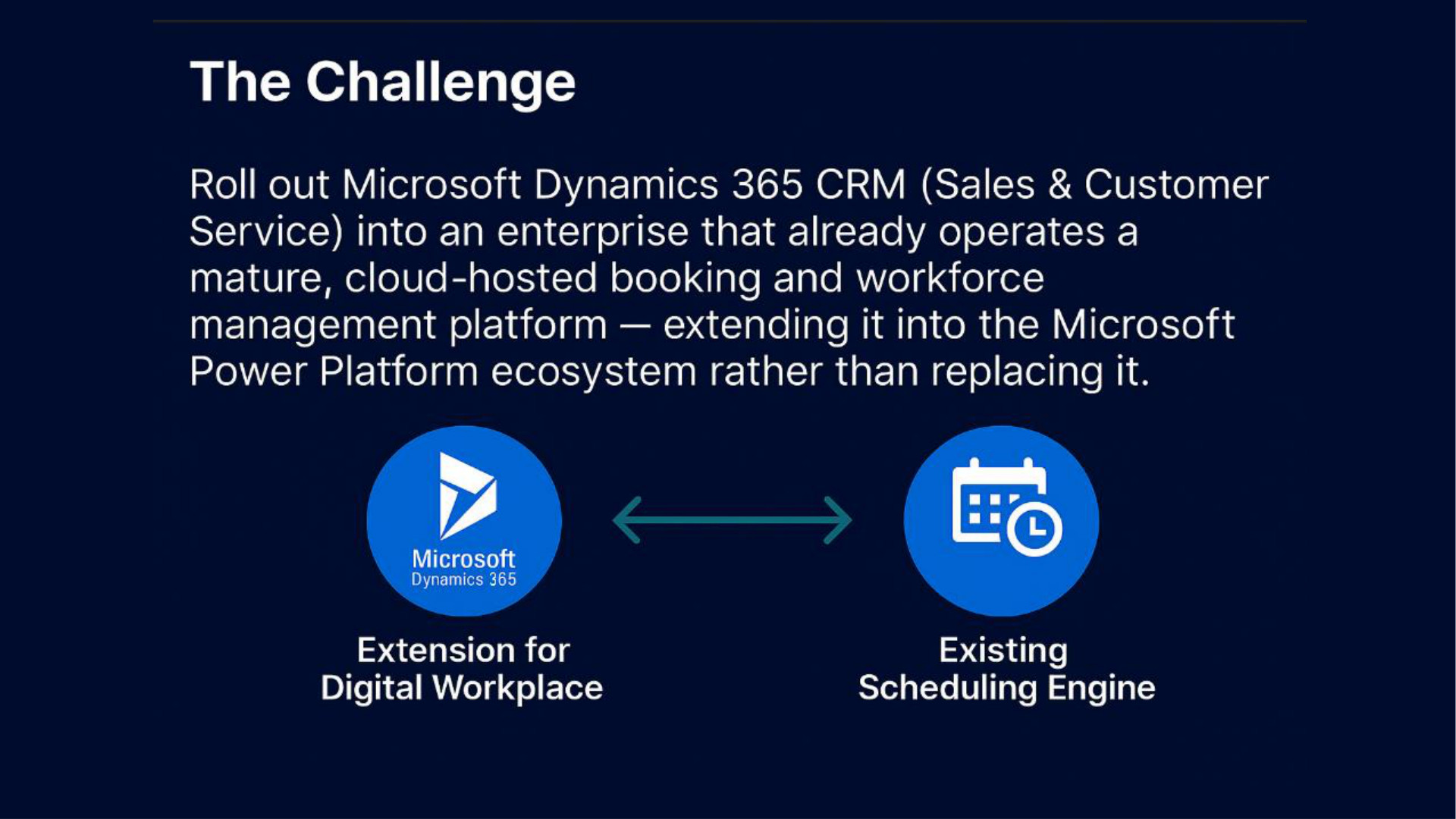
In many enterprise rollouts, the challenge isn’t lack of technology — it’s integrating what already works.
For this feature rollout, Microsoft Dynamics 365 CRM was required to reflect booking activity without disrupting the existing scheduling engine. The organization’s mature SaaS platform (hosted outside Azure) continues to manage workforce and appointment logistics — while CRM now gains timeline visibility, contact traceability, and service continuity.
How it was enabled:
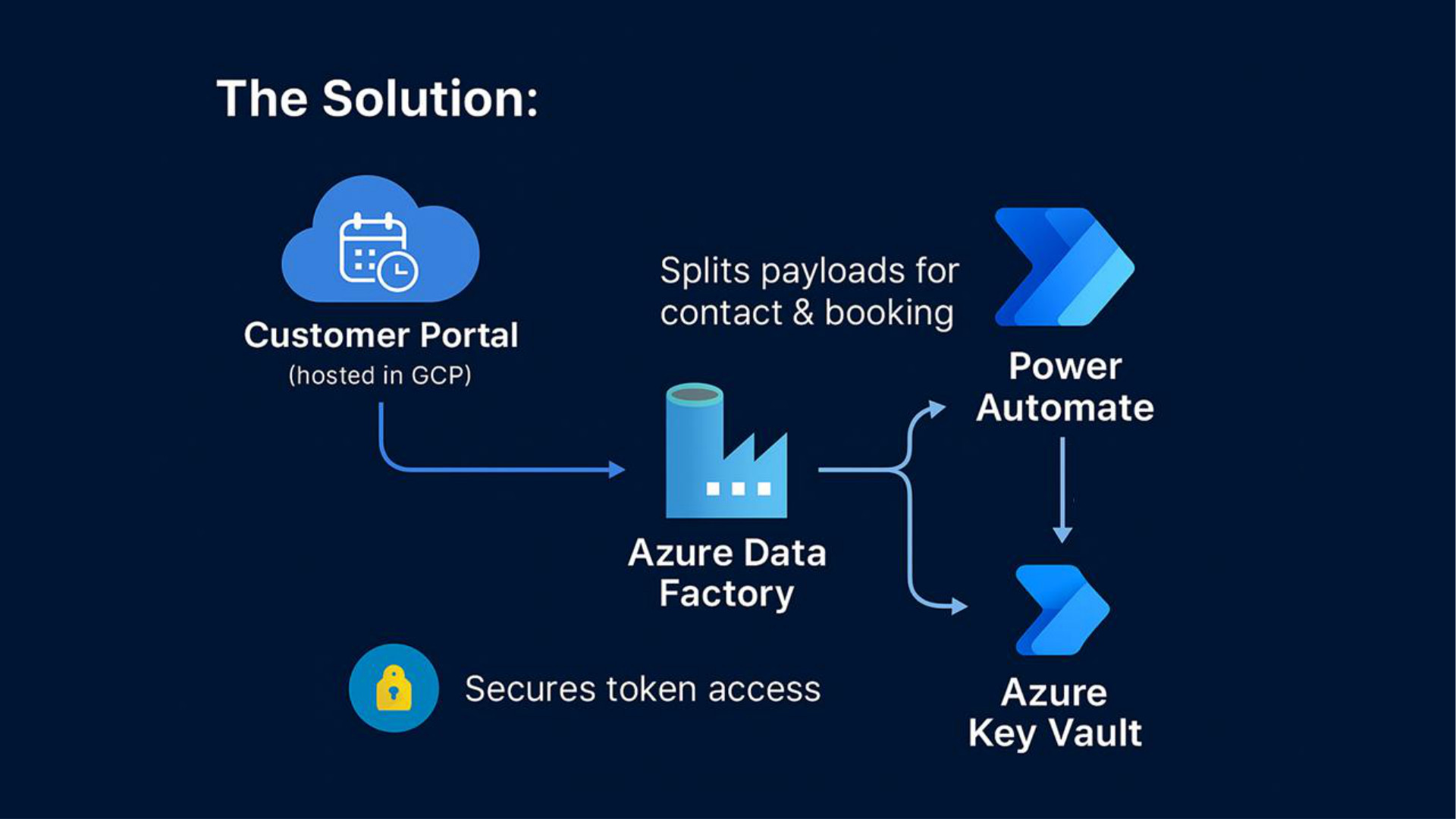
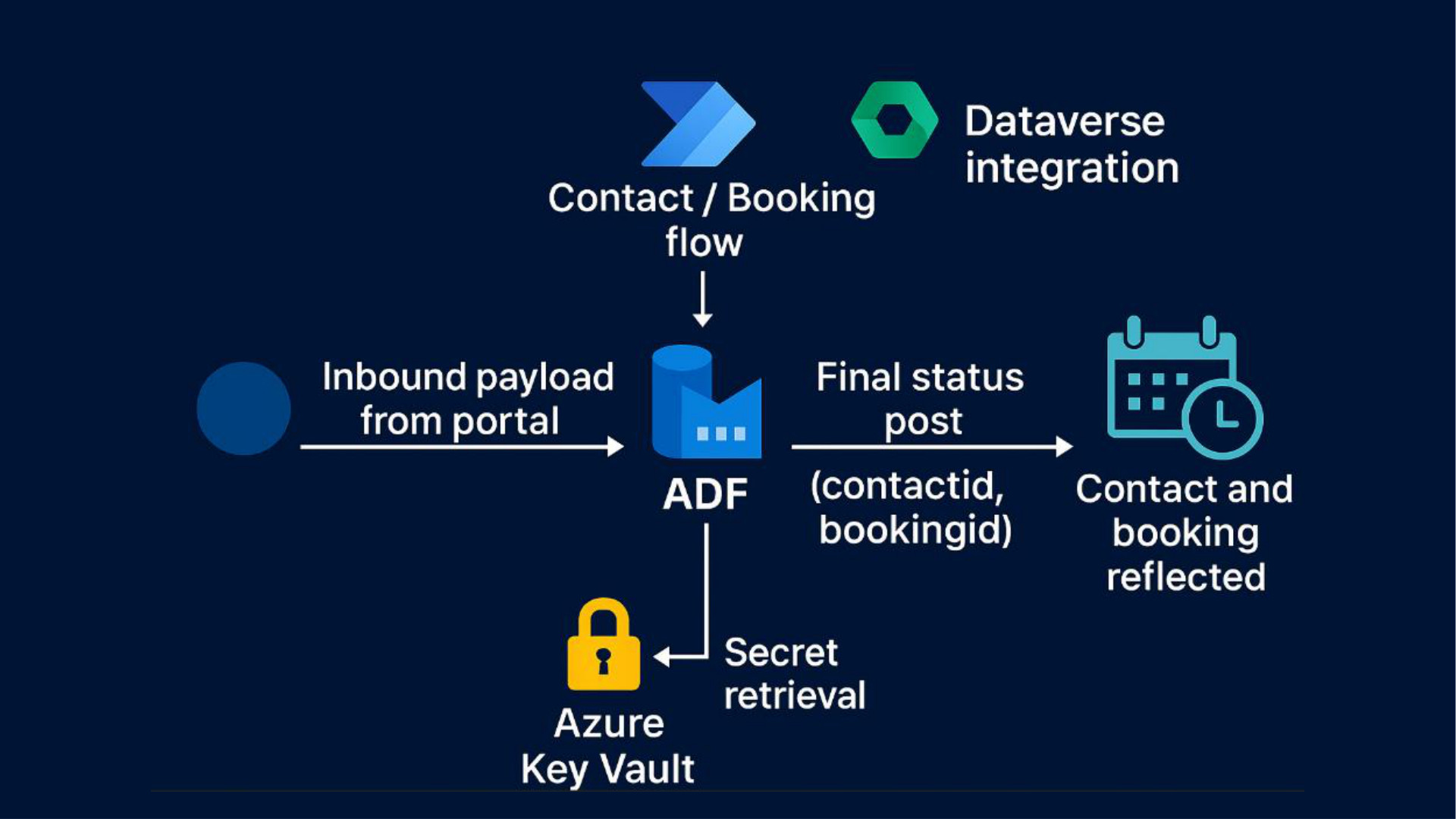
- A cloud-hosted portal triggers an Azure Data Factory (ADF) pipeline
- ADF splits the payload into Contact and Booking details
- Each segment is routed via Power Automate flows for upsert into Dataverse
- ADF posts the result asynchronously back to the callback URL from the portal
- Secrets are managed securely using Azure Key Vault
- Power Automate HTTP flows are restricted to be invoked only by ADF’s managed identity
Result: A secure, asynchronous integration bridging CRM timelines and existing booking infrastructure — without replacing what already works.
Quick Highlights
- Booking SaaS stays as-is — no replatforming
- Contact & booking data land in CRM via low-code flows
- Secure, token-based architecture using Azure Key Vault
- ADF + Power Automate combo handles transformation + routing
- Timeline visibility in CRM without rebuilding scheduling logic