A Low-Code Pattern for Managing HTTP-Triggered Power Automate URLs in CI/CD
Context: HTTP-Triggered Cloud Flows Usage Scenario
In a recent solution, a requirement emerged to deliver a planning experience directly within a model-driven app for sales users. The objective was to enable interactive planning while consuming data from existing line-of-business (LOB) systems.
The design introduced a PCF control implemented in TypeScript, embedded within the model-driven app, acting as the primary planning interface. This control needed to invoke existing APIs, adapt the responses for the UI, and persist the planned outcome into Dataverse as a custom activity record, including relevant reference keys from the source systems.
To support near real-time execution and a responsive user experience, as responsive execution status indicators, the solution leveraged HTTP-triggered Power Automate cloud flows invoked directly from the PCF control.
- The HTTP trigger endpoints were abstracted using Dataverse environment variables
- These variables were consumed directly within the PCF TypeScript code
- The client-side UI remained environment-agnostic
This approach also enabled secure integration with on-premises systems via the On-Premises Data Gateway, without exposing internal services externally.
A deliberate low-code architectural approach was adopted, avoiding custom APIs or Dataverse plugins, while still meeting integration, security, and performance requirements.
The Hidden CI/CD Challenge
HTTP-triggered Power Automate flows introduce a subtle but impactful challenge in CI/CD pipelines.
- The HTTP trigger URL is environment-specific
- The URL is generated only after flow activation
- It is not persisted as part of the Dataverse workflow definition
While the workflowid (the primary key of the Dataverse workflow record) remains consistent across environments, the HTTP trigger URL does not.
A Closer Look at HTTP Trigger URL Formation
To further clarify why HTTP-triggered Power Automate URLs cannot be treated as static configuration, it helps to look briefly at how the URL itself is constructed.
As shown in the snapshot below, the HTTP trigger URL consists of multiple segments. Not all parts behave the same across environments.

- The portion highlighted in blue is derived from the Dataverse environment context and can be inferred or reconstructed based on known Power Platform metadata.
- The portion highlighted in red represents the Logic Apps runtime workflow ID, which is generated by the Logic Apps runtime only after the cloud flow is activated.
This runtime workflow ID is not available via Dataverse metadata, nor is it predictable during solution import. As a result, the complete HTTP trigger URL can only be resolved post-deployment, once the flow is active in the target environment.
This distinction is what makes HTTP-triggered flows fundamentally different from typical deploy-time configuration and explains why CI/CD pipelines must account for runtime URL resolution.
Why this matters in practice:
- Environment variables populated in the source environment become invalid after deployment
- Manual post-release updates are required to restore functionality
- This directly conflicts with automation-first delivery and ALM principles
At scale, this introduces fragility, operational risk, and unnecessary manual effort.
Design Constraints
Solution addressing this problem needed to satisfy the following constraints:
- Remain low-code
- Avoid Dataverse plugins or custom server-side APIs
- Integrate cleanly into CI/CD release pipelines
- Eliminate manual post-deployment steps
Solution Overview
The solution introduced a post-deployment automation pattern that treats HTTP trigger URLs as runtime-generated configuration, rather than deploy-time constants.
- Resolution occurs after solution import and flow activation
- The process is fully automated and pipeline-driven
- Client-side components remain decoupled from environment-specific details
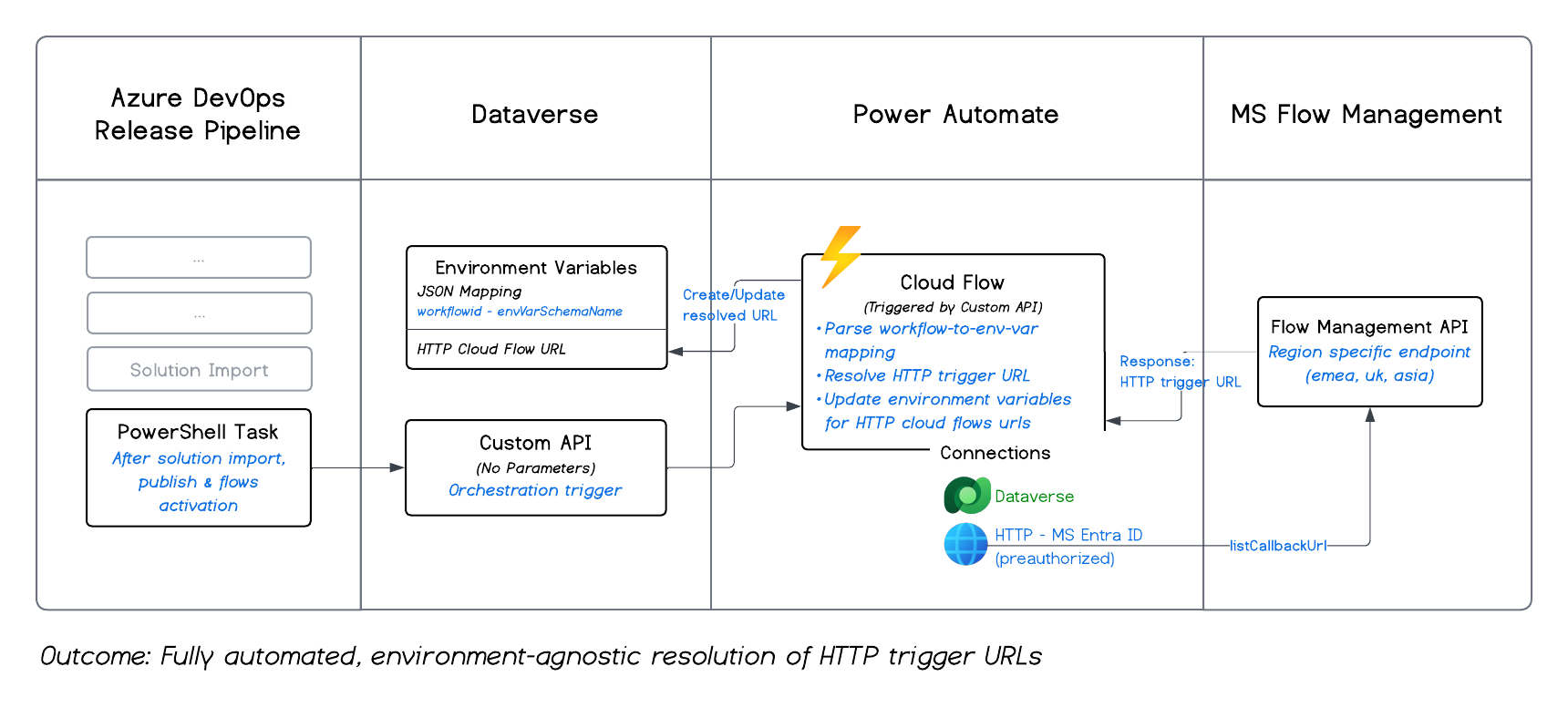
Solution Design — How It Works
The implementation consists of the following components, working together, being initiated from the release pipeline:
PowerShell Task (Release Pipeline)
- Executed as the final task in the target environment’s release stage
- Ensures all solutions, cloud flows, and dependencies are already imported and activated
Install-Module -Name Microsoft.Xrm.Tooling.CrmConnector.Powershell -Force -AllowClobber
Install-Module -Name Microsoft.Xrm.Data.PowerShell -Force -AllowClobber

Import-Module Microsoft.Xrm.Tooling.CrmConnector.Powershell
Import-Module Microsoft.Xrm.Data.PowerShell

$customApiName = "ntit_CopyHTTPFlowUrlToEnvironmentVariableValue"
$connection = Get-CrmConnection -ConnectionString 'AuthType=ClientSecret;Url=$(targetenv.BuildTools.DataverseConnectionString);ClientId=$(targetenv.BuildTools.ApplicationId);ClientSecret=$(targetenv.BuildTools.ClientSecret)
try {
    $resp = Microsoft.Xrm.Data.Powershell\Invoke-CrmAction -conn $connection $customApiName -Verbose
    if ($null -eq $resp) {
        Write-Host "Custom API '$customApiName' executed successfully"
    }
}
catch {
    Write-Error "Custom API '$customApiName' failed: $($_.Exception.Message)"
    exit 1
}
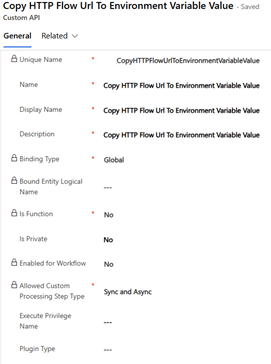
Dataverse Custom API
- Exposes no parameters and requires no request body
- Serves purely as an orchestration trigger
- Invoked directly from the PowerShell task
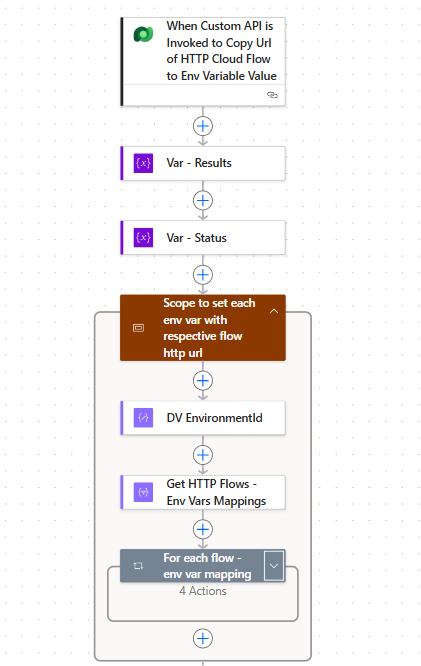
Power Automate Cloud Flow
- Triggered by the Custom API
- Responsible for resolving HTTP trigger URLs dynamically
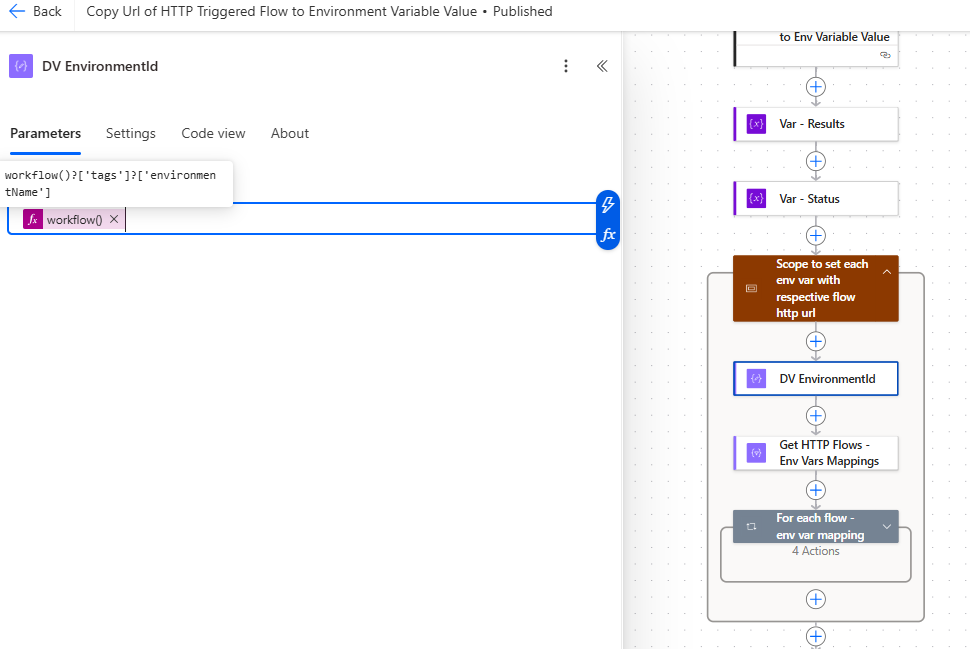
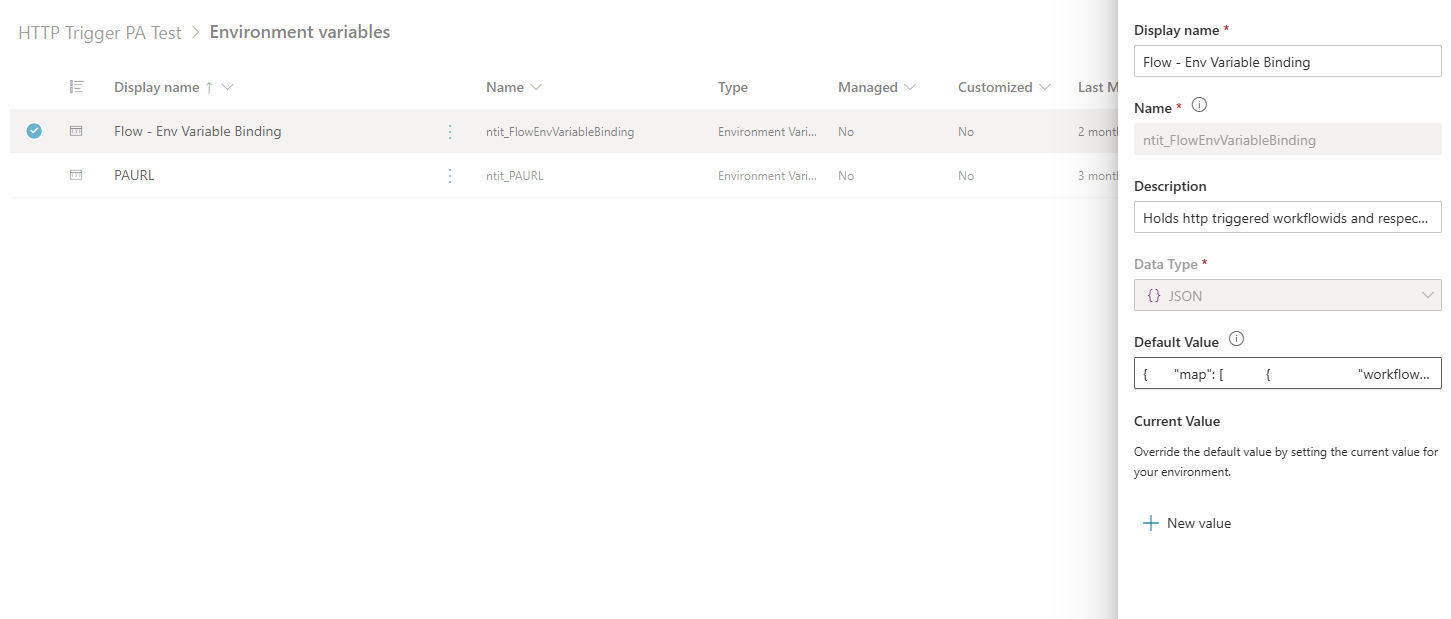
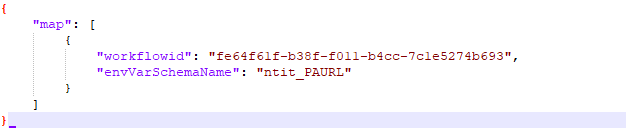
Configuration Mapping
- Maintained as a Dataverse environment variable (JSON-based)
- Defines a mapping between workflowid of each HTTP-triggered cloud flow & target environment variable schema name to store resolved URL
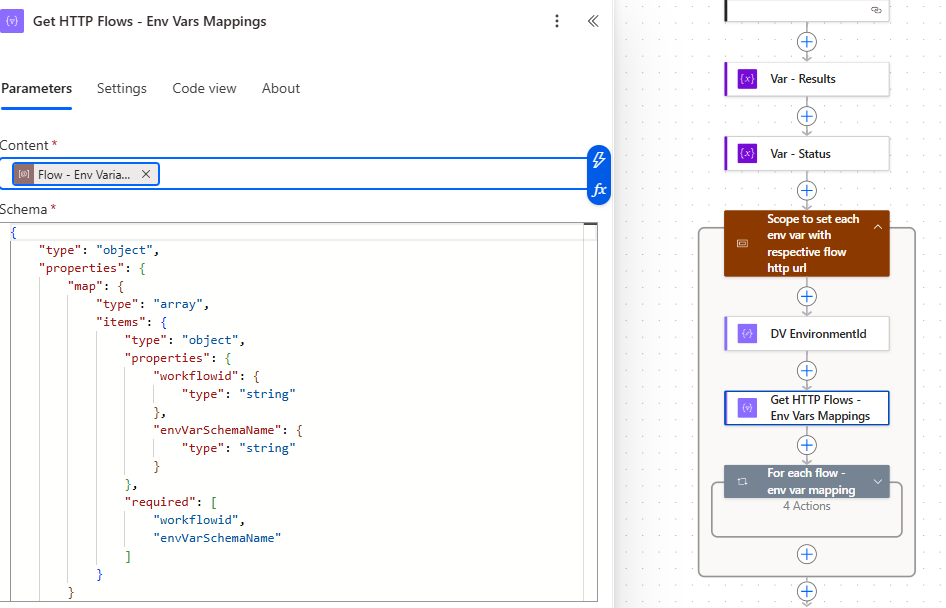
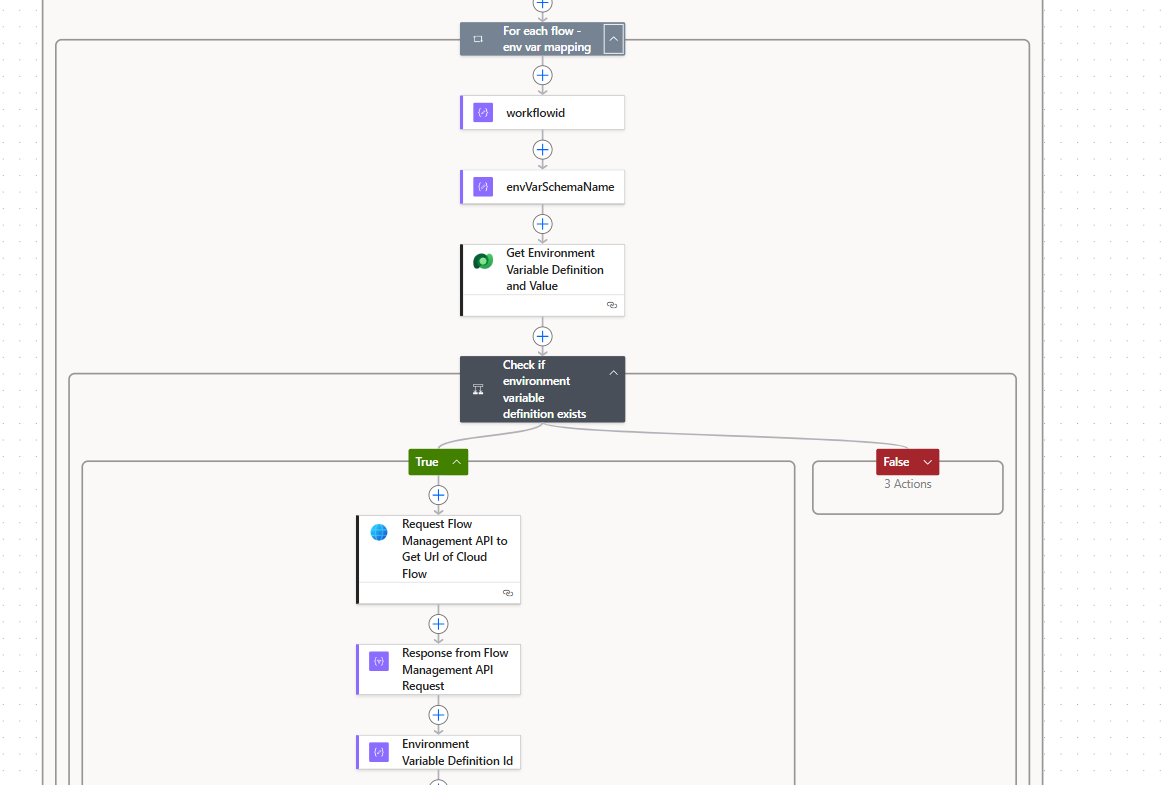
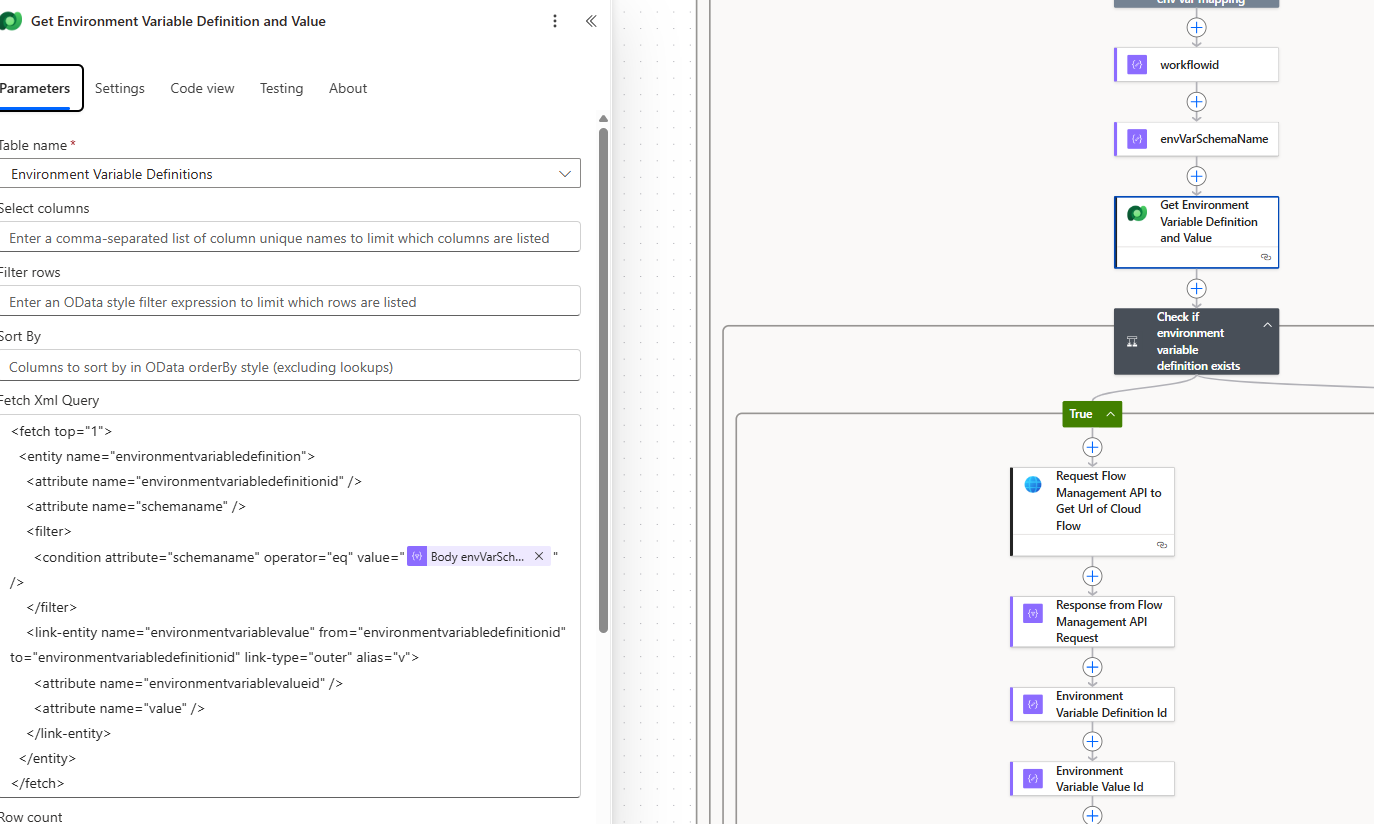
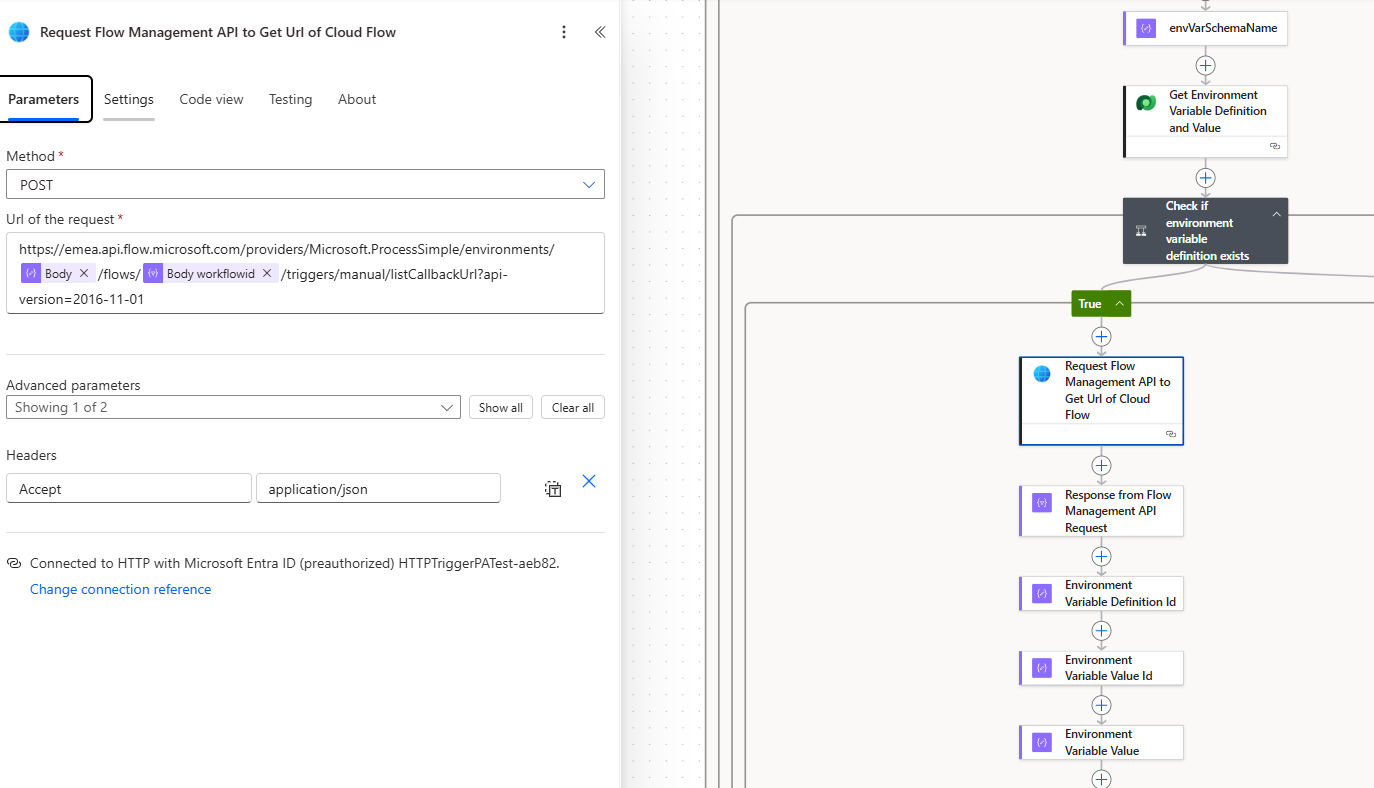
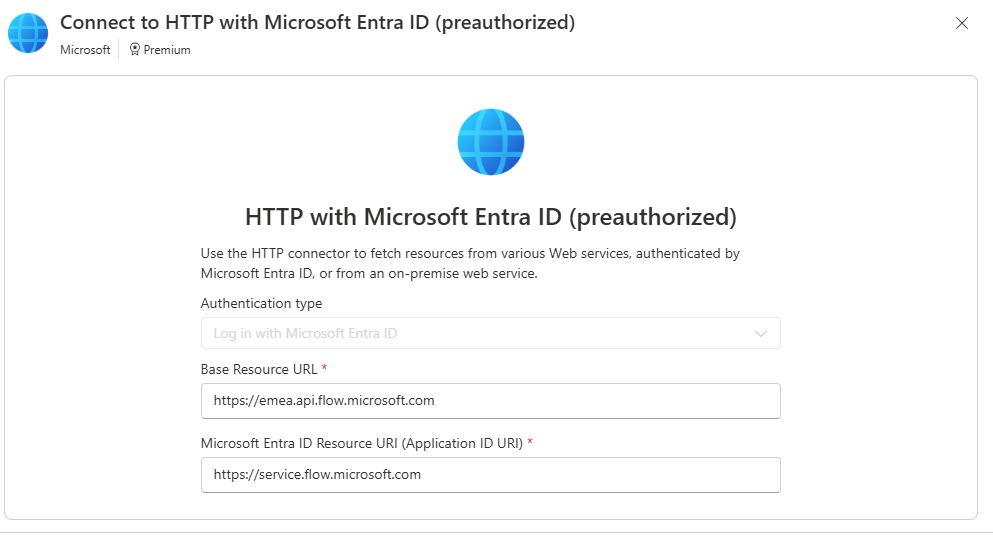
Microsoft Flow Management API Integration
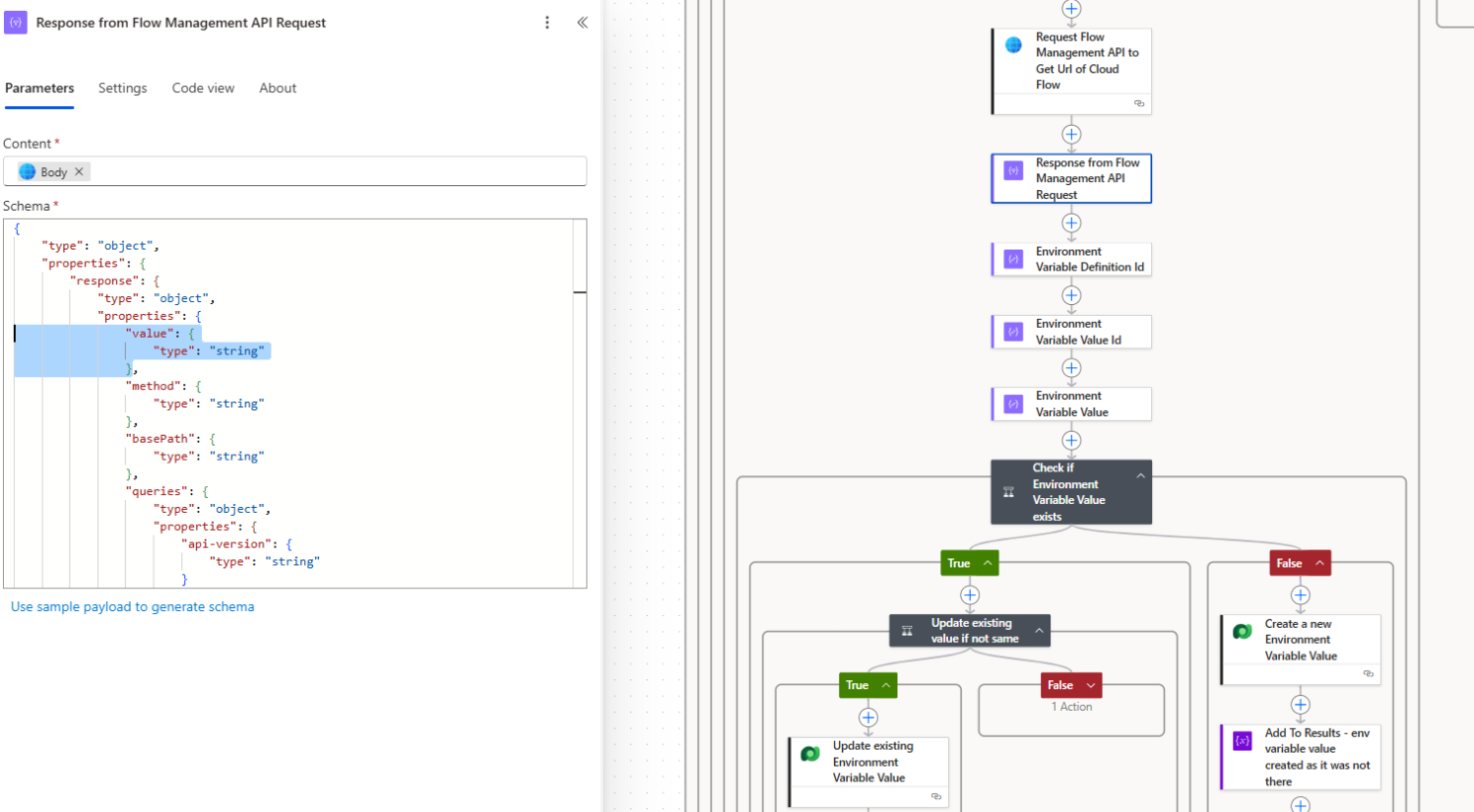
- The cloud flow calls the Flow Management API using an Entra ID–authenticated HTTP connection
- The API returns the runtime-generated HTTP trigger callback URL
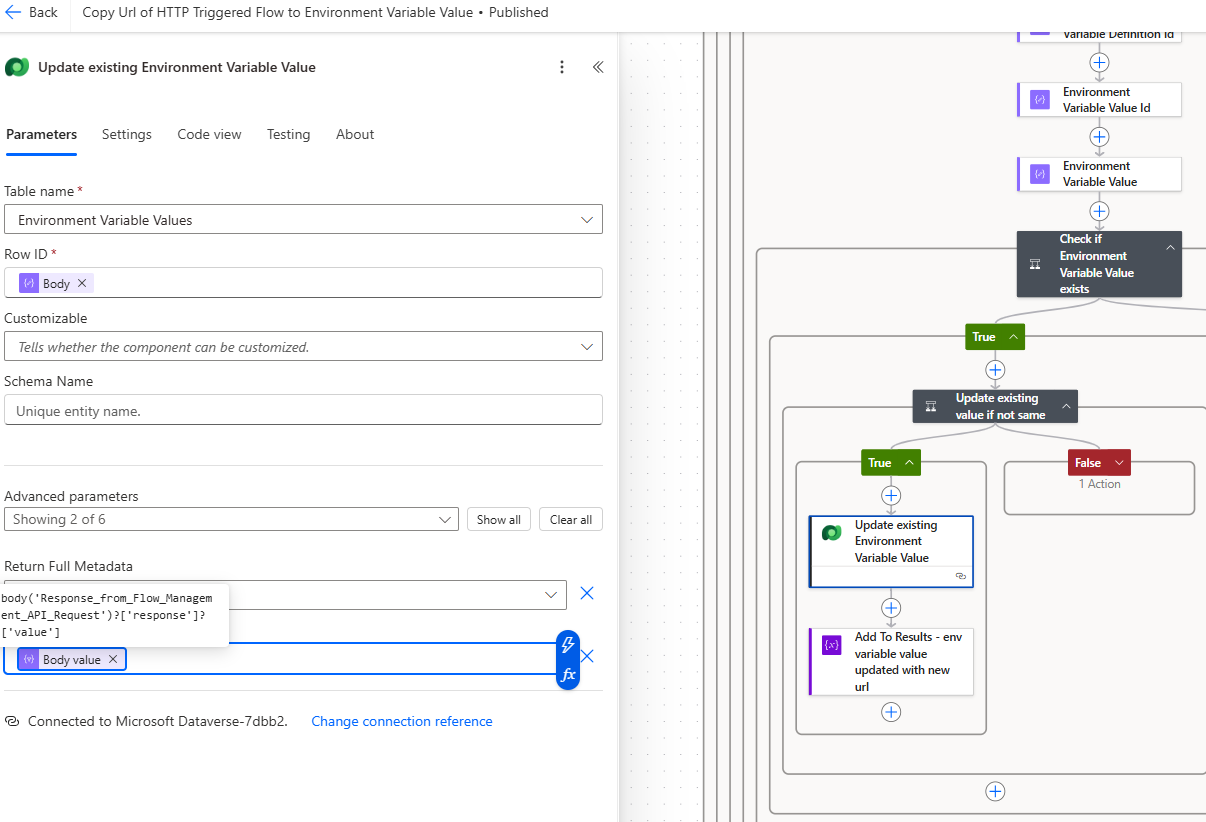
- The flow updates the corresponding environment variable in Dataverse
- Both the Dataverse and HTTP connections are shared with the service principal used by the release pipeline.
Outcome and Takeaways
The result is a clean, scalable, and CI/CD-aligned pattern:
- Zero manual post-release configuration
- Environment-agnostic PCF and client-side code
- Fully automated resolution of HTTP trigger URLs
- Reusable approach for any HTTP-triggered Power Automate flow
Key Takeaway
“Not all configuration belongs at deploy time. Certain artifacts—such as HTTP trigger URLs—must be resolved at runtime.”
Designing explicitly for that distinction leads to Power Platform solutions that are more resilient, scalable, and automation-friendly.