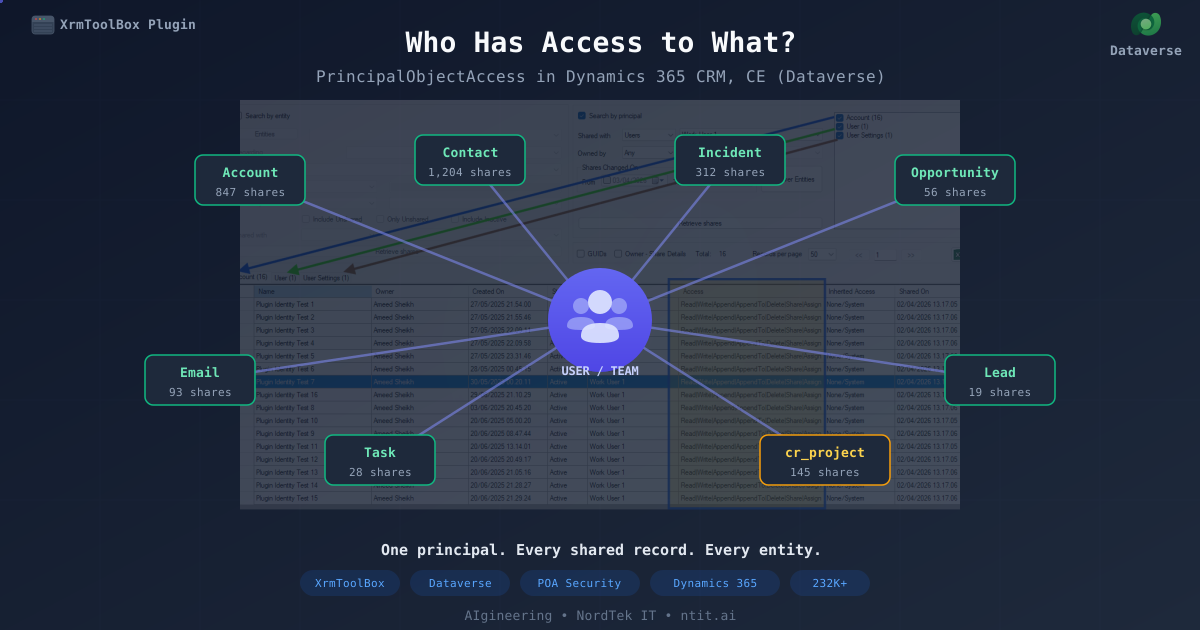
Who Has Access to What? Searching Shared Records by User Across All Entities
Back in 2017, over an Easter break, I released the first version of Search POA Landscape — an XrmToolBox plugin that lets you query the PrincipalObjectAccess (POA) table in Dataverse to see who has shared access to what. It started as a scratch-my-own-itch tool while implementing shared Personal Email Templates, and grew into something a few thousand people downloaded over the years.
Fast forward to 2026 — another Easter break, and the plugin gets its biggest update yet. Nine years, quite a few versions in between, and the one feature that kept coming up in comments and requests is finally here: Search by Principal.
The Problem
The original plugin answers: “For this entity type, show me all shared records.”
That works when you know which entity to look at. But admins and security reviewers often ask a different question:
“What records does this user have shared access to — across the entire environment?”
There was no good answer. You’d have to search entity by entity, manually repeating the same steps for Accounts, Contacts, Cases, custom entities — hoping you didn’t miss one. The POA table knows everything, but there was no way to ask it this question across all entities at once.
What Changed
Version 1.2026.4.4 adds a second search mode: Search by Principal. Instead of picking an entity and finding who it’s shared with, you pick a user or team and discover which entity types have shared records for them.
The flow works in three steps:
Step 1: Select a Principal and Discover
Pick a user or team from the “Shared with” dropdown. Optionally filter by owner and date range. Click Discover Entities.
The plugin runs an aggregate query against the POA table, grouped by entity type code. It comes back with a checklist showing every entity type that has shares for that principal, with record counts.
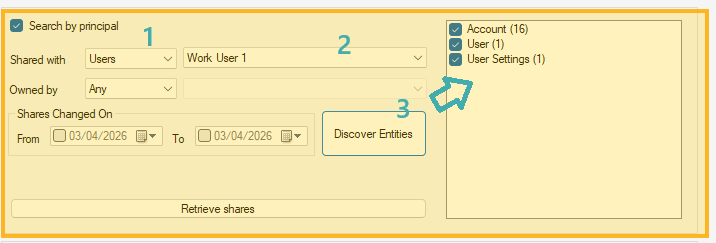
If you’ve set an owner filter, a second pass refines the counts — running a targeted count query per entity type with the full filter applied. Entity types with zero matching records are excluded from the list.
Step 2: Select Entity Types and Retrieve
Check the entity types you’re interested in (or leave them all checked), then click Retrieve Shares. The results appear in tabbed grids — one tab per entity type.
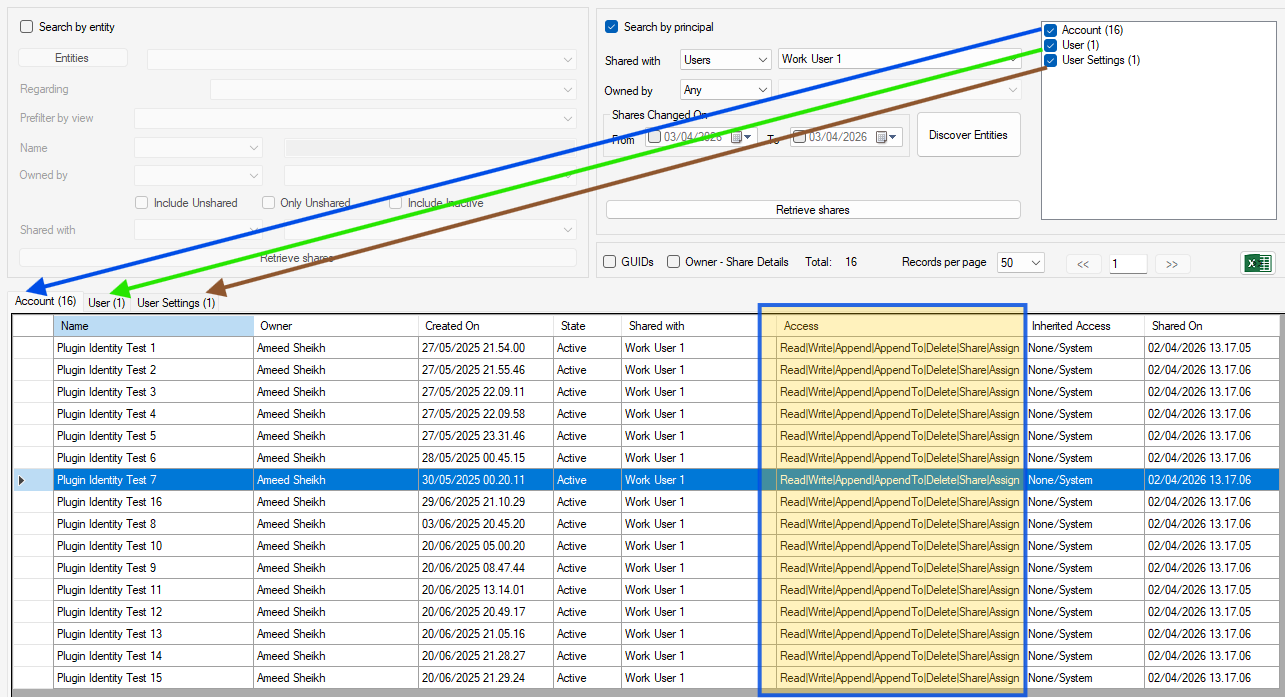
Each tab has its own paging, its own record count, and lazy-loads when you click on it for the first time. The grid columns match the entity search grid exactly — Name, Owner, Created On, State, Shared with, Access, Inherited Access, Shared On — with the same GUIDs and Owner-Share Details toggles.
Step 3: Explore Details
Click any row to see the record link in the Details panel. Click Shared with >> to see who else has access to that specific record, with fully decoded access rights.
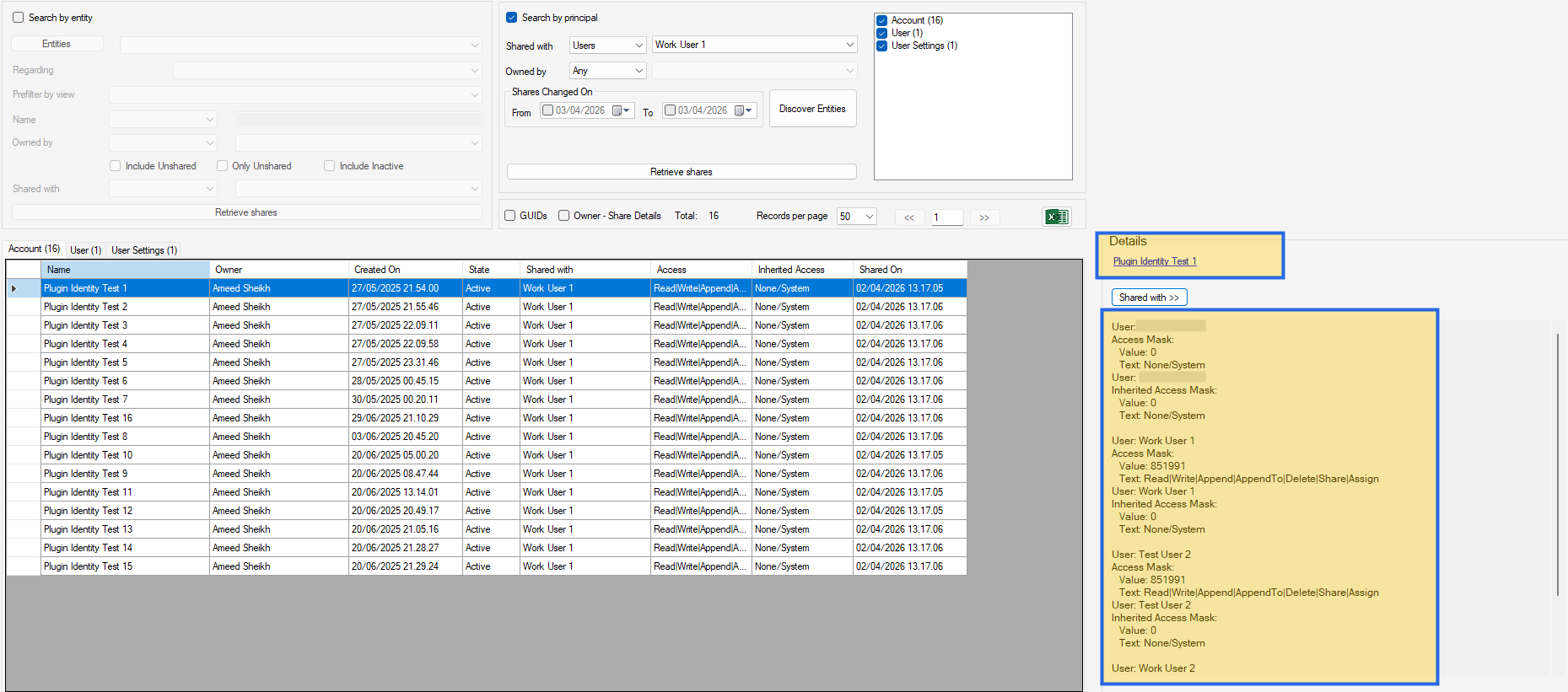
Decoded Access Rights
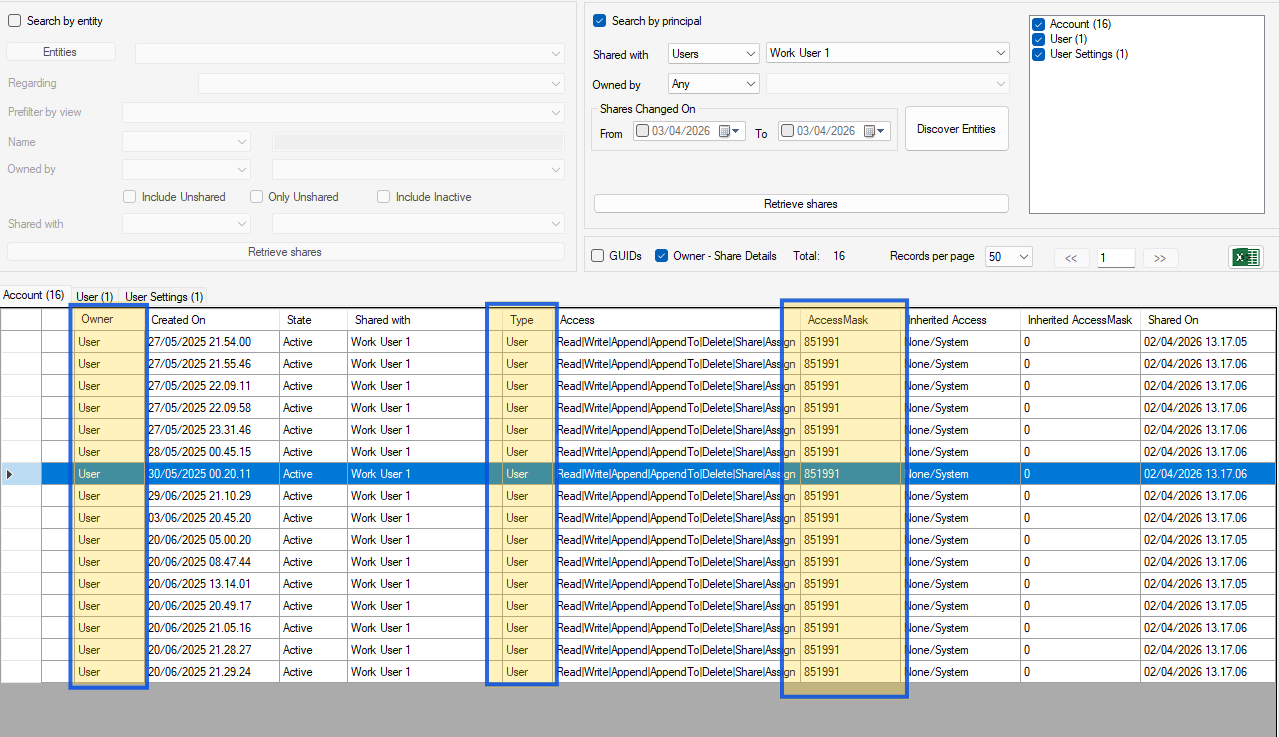
One thing that always bothered me about the POA table is the access rights mask. It’s a bitmask integer — values like 851991 or 852023 that mean nothing at a glance.
This version decodes them into readable text. The plugin maps each bit to its corresponding right:
| Bit | Right |
|---|---|
| 1 | Read |
| 2 | Write |
| 4 | Append |
| 16 | AppendTo |
| 32 | Create |
| 65536 | Delete |
| 262144 | Share |
| 524288 | Assign |
So 851991 becomes Read|Write|Append|AppendTo|Delete|Share|Assign, and 852023 (all rights) shows as Full access. This works in both search modes — entity search and principal search.
Owner Filter
The “Owned by” filter lets you narrow results to records owned by a specific user or team. This is useful when the principal has shares on hundreds of records but you only care about those owned by a particular person.
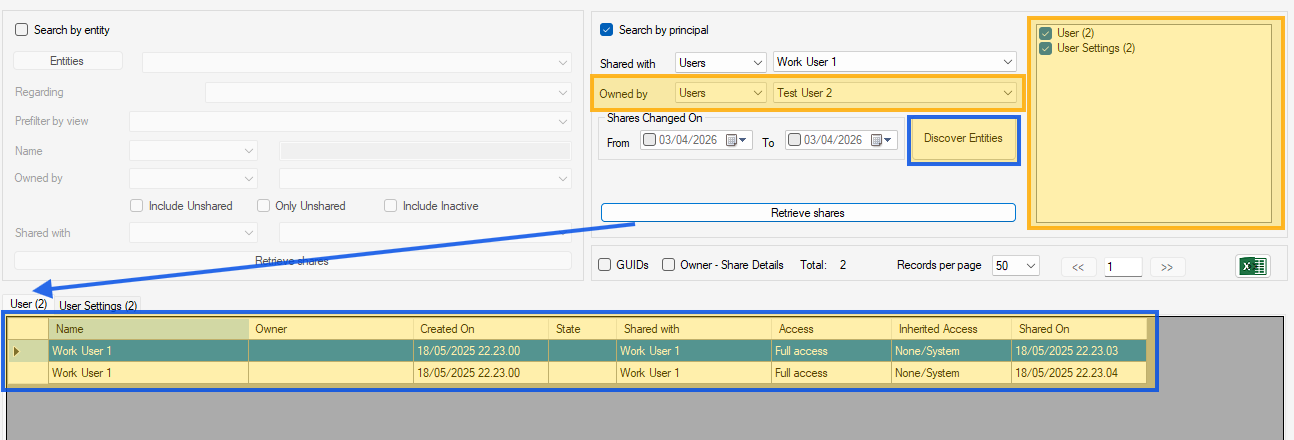
The filter applies at both the discovery and retrieve stages, so the counts in the entity type checklist reflect the actual filtered result set.
Smart Criteria Invalidation
When you change any search criteria after a discovery — different principal, different owner, different date range — the plugin detects the change and disables the Retrieve button. A red warning prompts you to re-discover entities first.
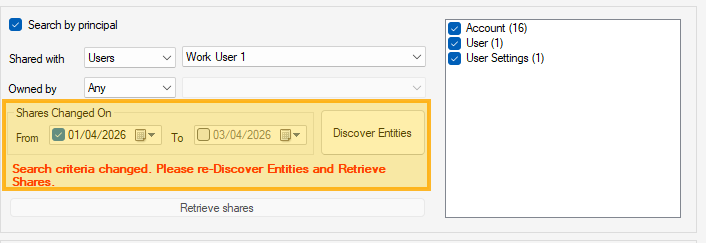
If you revert the criteria back to what they were during the last discovery, the warning disappears and Retrieve re-enables. No unnecessary round-trips.
Column Visibility Toggles
The GUIDs checkbox reveals the Record ID and POA ID columns. The Owner-Share Details checkbox reveals Owner Type, Shared With Type, AccessMask (raw value), and Inherited AccessMask. These toggles apply across all tabs simultaneously.
What Else Is New in This Version
Beyond the Search by Principal feature, version 1.2026.4.4 also includes:
- Export to Excel is now working from all grids — entity search and every principal search tab. Current page, selected records, or all records.
- Excel export dependency fixed — the DocumentFormat.OpenXml assembly is now properly packaged with the plugin, resolving years of user-reported export failures.
- Codebase refactored — proper DAL/Model/Utils separation, QueryBuilder abstraction (entity and principal builders share the same interface), SDK-style project files.
- .NET 4.8.1 with the latest XrmToolBox SDK.
Get It
The plugin is available on NuGet and through the XrmToolBox Plugin Store:
Ameed.Xrm.SearchPOALandscape on NuGet
Current version: 1.2026.4.4
If you run into issues or have feature ideas, drop a comment on the original blog post or reach out on LinkedIn.
This is a sequel to Search Shared Data Across CRM Entities, originally published in 2017. Stay tuned — more features are coming in the next version.
#PowerPlatform #Dataverse #ProDev #AIgineering #NordTekIT #XrmToolBox #Security #DynamicsCRM #D365